Camera
The Follow Along Examples:
Follow along: Camera Operation Example
The program launching process along with parameter settings are all simplified and set up on the Jupyter Notebook Environment.
- Open the 03_camera.ipynb Jupyter Notebook
- Import the necessary python libraries and modules
- Follow and Execute the example codes
(The Jetson Board used for these examples are => Jetson Nano)
Open the following jupyter notebook:
03_camera.ipynb
To run the cells within the notebook use Ctrl + Enter
Import the necessary python libraries and modules
import rospy
from sensor_msgs.msg import Image
from cv_bridge import CvBridge, CvBridgeError
import numpy as np
import cv2
import ipywidgets.widgets as widgets
Create zetabot Node
/main_camera/raw Topic Subscribe
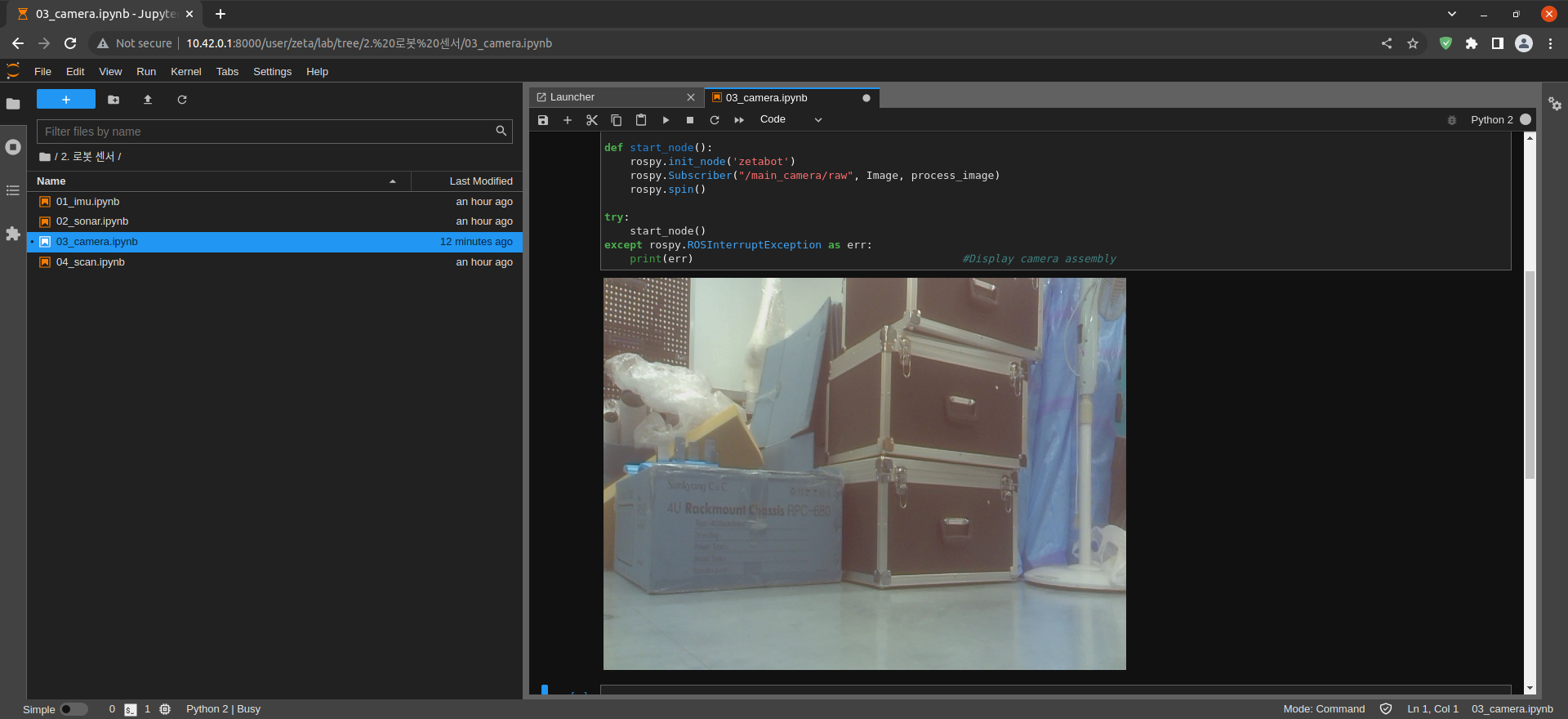
Convert Message to jpg format and check with ipywidgets
image_widget = widgets.Image(format='jpeg', width = 640, height=480)
display(image_widget)

bridge = CvBridge()

def rgb8_to_jpeg(value, quality=75):
    return bytes(cv2.imencode('.jpg',value)[1].tostring())

def process_image(msg):
    try:
        cv_img = bridge.imgmsg_to_cv2(msg, "bgr8")
    except CvBridgeError as e:
        print(e)
    else:
        image_widget.value = rgb8_to_jpeg(cv_img)
        rospy.sleep(0.25)

def start_node():
    rospy.init_node('zetabot')
    rospy.Subscriber("/main_camera/raw", Image, process_image)
    rospy.spin()

try:
    start_node()
except rospy.ROSInterruptException as err:
    print(err) #Display camera assembly